










1win Login: Sign In Online by Phone or Email in India
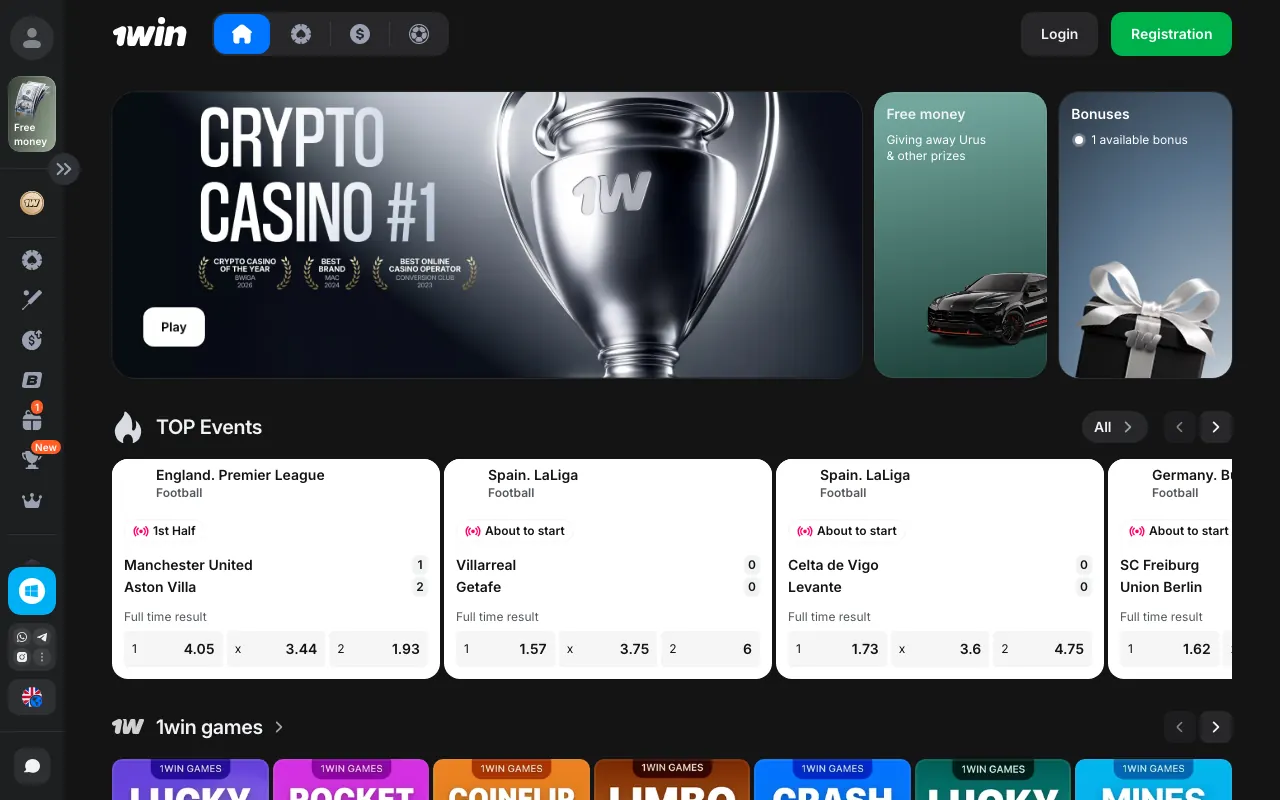
1win login in India uses your registered phone number or email and password. Tap Login on the operator's site, choose Phone or Email, then press Log in. Password recovery opens from Forgot your password?; Register is a separate option for new accounts.
18+ · New players only · Operator bonus terms apply · Play responsibly
 Written by Anusha Khan · Checked by: Denise MatheyUpdated
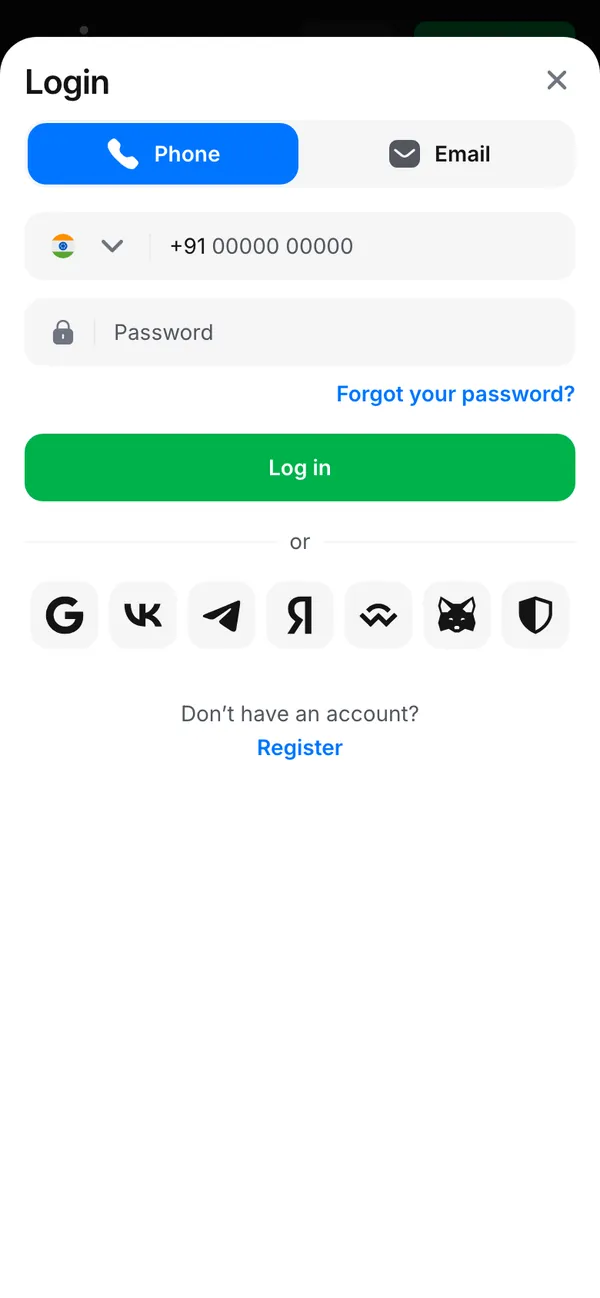
- Use the contact already connected to your account.
- Losing access calls for recovery, not another registration: duplicate accounts are closed and their transactions invalidated under rule 13.6.
- If you have never registered, create an account before using the login form.
1win login at a glance
The India login form separates phone access, email access and password recovery.
| Account detail | What applies |
|---|---|
| Sign-in credentials | Registered phone or email with password |
| India phone field | +91 country code |
| New password length | At least 8 characters in Registration |
| Password reset entry | Forgot your password? below Password |
| Recovery destination | Phone number or email connected to the account |
| Account support | Live chat, 24/7 |
| Identity review threshold | Total withdrawals above US$500 or account-currency equivalent |
| Minimum age | 18; higher where local law requires it |
| Account duplication | One account per customer; duplicates are closed |
A password problem and an address problem need different actions in the login fixes below.
1win login online: follow the India screens
Phone and Email are alternative routes to your existing account; choose the tab that matches your registered contact. These mobile screens were captured in India on 08.11.2026.
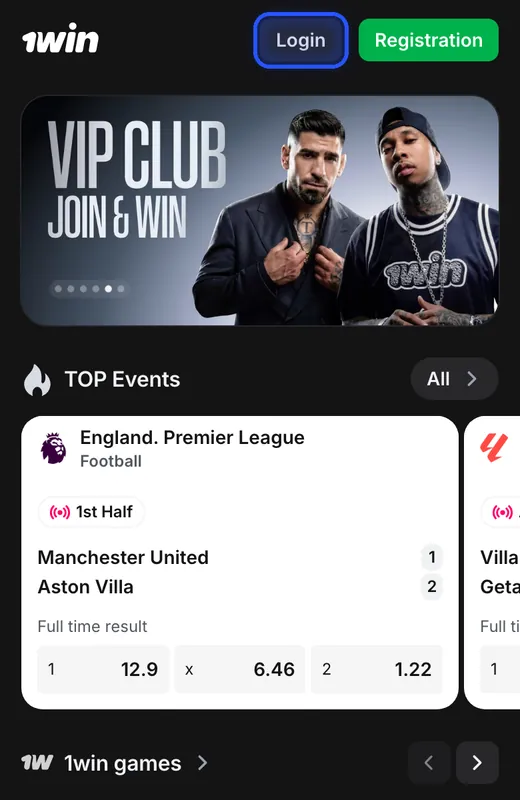
Open Login from the header
Tap Login beside the green Registration button at the top of the operator's site.
You see: The Login window opens with Phone selected, a phone field and Password; Email is the other tab.
If not: If the address will not open, use the operator's access channels described below.
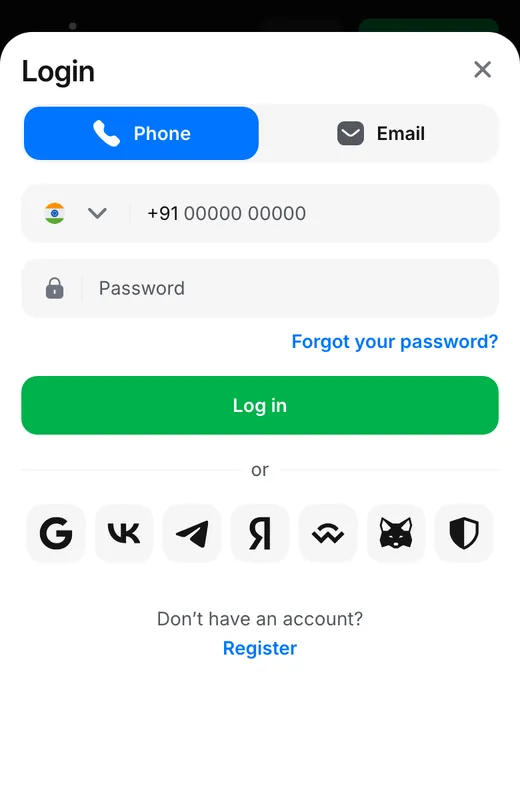
Use your registered phone number
On Phone, enter your account's number and password, then press the green Log in button.
You see: Phone mode contains a country selector and Password. Forgot your password? sits between the password field and Log in.
If not: If you cannot remember the password, use Forgot your password? to request recovery.
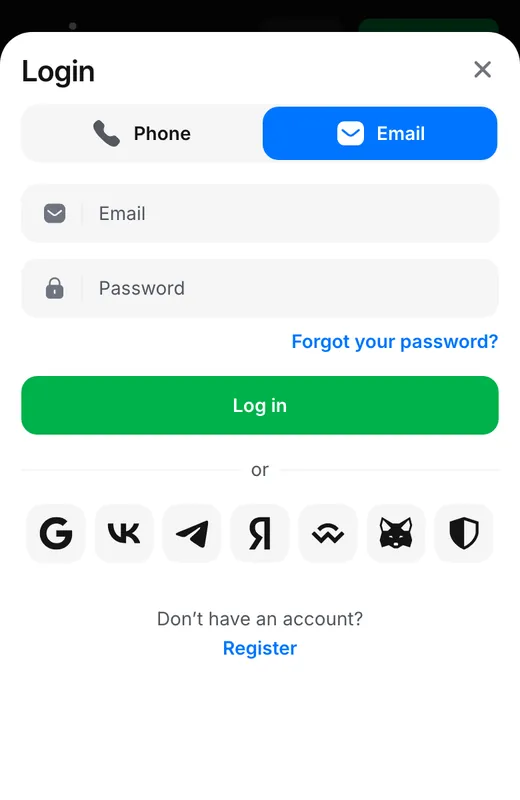
Or switch to Email
Tap Email to switch tabs; enter your registered email and password, then press Log in.
You see: Email replaces the phone-number field. Password, Forgot your password? and the green Log in button remain in the form.
If not: Use the email connected to the existing account; Register is for creating an account.
Login and Registration open different forms. The login window asks for existing credentials; the registration window also contains account currency, an optional promo code and acceptance of the User Agreement. Use the registration process only when creating your first account.
The row below “or” offers social or wallet sign-in options that vary by region. Phone and Email are separate tabs in the India login window; use the route connected to your account rather than creating another identity.
Reset access through Forgot your password?
Password recovery accepts a phone number or email to request a code. The recovery form uses its own Recover button instead of the login form's password field.
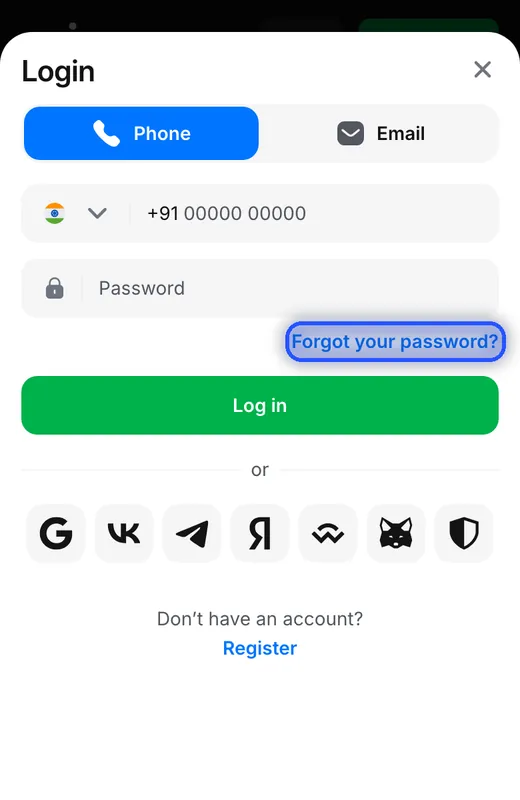
Choose the recovery option
Tap Forgot your password? just above the green Log in button.
You see: Password recovery opens with the instruction to enter a phone number or email to receive a code.
If not: Use this route for a forgotten password instead of opening Registration.
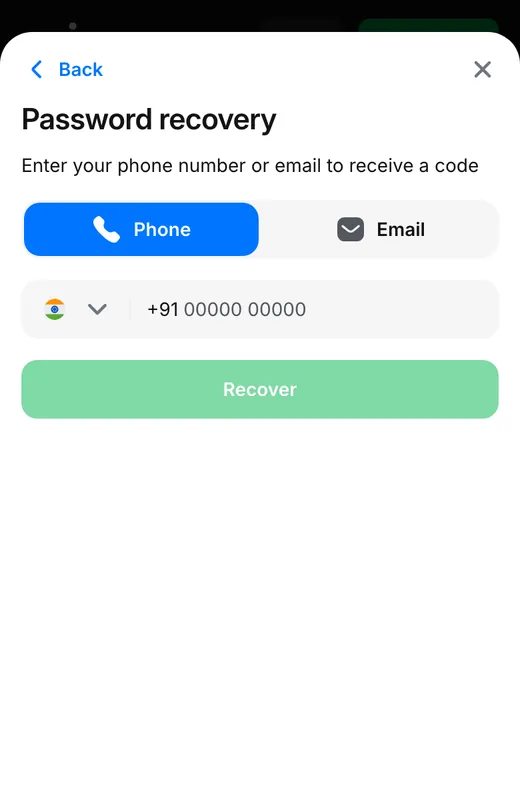
Select the contact and press Recover
Choose Phone or Email, enter the account contact, then tap Recover to request the code.
You see: The screen reads “Enter your phone number or email to receive a code” and provides Back to return to Login.
If not: If you cannot receive a code at that contact, ask account support for help.
The recovery contact belongs to the account you are trying to reopen. Switching to an unrelated email does not identify that account. If the contact is no longer accessible, contact account support rather than opening a duplicate.
Back returns from Password recovery to Login. Recover requests a code; Log in submits a password. Contact confirmation also uses codes, while KYC uses identity documents, so a recovery request and a document review serve different purposes.
1win app login, APK access and the saved website
Your existing account works on the website and in the app; installing an app does not require a second registration.
| Device | Access route | Account to use |
|---|---|---|
| Android browser | Open the operator's mobile website | Your existing phone or email login |
| Android app | Install the APK from the operator's site | Your existing account credentials |
| iPhone or iPad | Safari → Add to Home Screen | The account used on the website |
| Windows or Mac | Website or browser-based web app | Your existing player account |
Android installation uses a file from the operator's website. The Android APK installation steps cover that download; the account remains the same after installation. If an older installation prevents access, obtain the current file from the operator's site.
On iPhone and iPad, the saved website opens from a home-screen icon after Safari's Add to Home Screen action. The iPhone setup steps use this browser route. The same distinction applies on desktop: the Windows and Mac options are browser-based web apps.
1win login problems and the action to take
A forgotten password uses recovery; a restricted account needs support. Repeated registration creates a duplicate-account problem under the operator's rules.
The site address does not open
Get an access address through the operator's channels; official access information explains how to identify them.You have forgotten the password
Use Forgot your password? beneath Password; the recovery screens show how to request a code.The contact needs confirmation
Email and phone confirmation use a code. Use the contact attached to the account; support handles lost access to it.The Android app will not sign in
Use the same account as on the website; obtain the current APK through the operator's app download route.Access to the account is restricted
Ask account support about the restriction; a second registration is subject to the duplicate-account rule.You already have another account
Rule 13.6 closes duplicate accounts and invalidates their transactions; recover the existing account instead of using a backup.
An alternative address duplicates the operator's account, balance and bonuses; it does not create a new account. The operator distributes access addresses through its own channels, including Telegram and live chat. Use official access channels when the address is the obstacle.
The operator's customer support handles player access and account restrictions. Live chat and [email protected] are operator contacts; customer support options also include the FAQ bot @FAQ_1win_bot. A password reset does not resolve an identity-document request.
Account confirmation and KYC after login
A successful sign-in does not remove identity requirements: 1win can request documents at any time under rule 14.3.
Phone and email
Contact confirmation uses a code sent to the registered phone or email; it is separate from document-based KYC.Identity documents
The identity review uses a passport or national ID, proof of address and a selfie; payment-method documents can also be requested.Review timing
The storefront describes most KYC reviews as completed within 24 hours after documents are submitted.Readable photographs
Send the whole document in the image, with no cropped edges or glare obscuring the details.Payment-name match
The account name must match the name on the payment method; payments belonging to another person are not accepted.Withdrawal identification
Rule 16.11.2 requires identification above the cumulative withdrawal threshold shown in the access table.
Contact confirmation establishes access to the registered phone or email; KYC establishes identity. Keep those tasks separate when responding to an account request. The withdrawal requirements also cover identification and payment conditions before money leaves the account.
Password rules and sessions on other devices
Password
The registration form sets the minimum password length shown above. Use a password reserved for this account.Registered contacts
Keep access to the phone number and email connected to the account: contact confirmation and password recovery use them.Other device sessions
The operator's account information dated 30.04.2026 lists Settings → Active sessions → End for closing a selected session.
The operator's account information dated 30.04.2026 lists Settings and Active sessions. End closes the selected session on another device, so use that control when access on a device is no longer wanted. It is distinct from recovering a forgotten password.
Account menus for balances, history and bonuses
The operator's account information dated 30.04.2026 lists Bonuses, Bonus codes, bet history, transaction history and Settings. The main balance and 1win Points have separate entries. Use bet history for wagers and transaction history for money movements; they record different account activity.
Bonus codes is the account area for vouchers; it is separate from the optional promo-code field in Registration. The promo-code instructions distinguish a registration code from a voucher activated inside an existing account.
Welcome bonuses belong to deposits, not login
Signing in accesses an account; the welcome promotions apply to qualifying deposits by new players.
| Storefront offer | Free spins | Deposit sequence |
|---|---|---|
| India promotion 2690 | Up to 600 FS on 08.11.2026 | First 4 deposits |
| Standard English-language storefront outside India | Up to 500 FS on 08.11.2026 | First 4 deposits |
India's promotion is separate from the standard welcome offer displayed to English-speaking players elsewhere. A deposit activates the relevant bonus; entering a password is not a bonus claim. The welcome bonus terms separate fiat and crypto accounts and explain the wagering conditions.
Login, recovery codes and account sessions
- Login
- Access to an existing account; log in and the Hindi spelling लॉगिन refer to the same action.
- Recovery code
- A code requested through Password recovery using the phone number or email connected to the account.
- KYC
- Know Your Customer: an identity review using documents, separate from entering a password.
- Active sessions
- Account access on devices listed in Settings; End closes the selected session.
- Web app
- The website saved to a device's home screen for access through its icon.
Sources
Where the facts on this page come from
- 1win login and password recoveryIndia screens, 08.11.2026; account and support information
- 1win account and verification rulesSections 12–16: access, identity and payments
- 1win welcome promotionsIndia and standard welcome terms, 06–08.11.2026
- 1win deposit bonus cardsActivation and bonus balance conditions
1win login questions for India and mobile players
Open Login on the operator's site, choose Phone or Email, enter the corresponding registered contact and password, then press Log in. The phone and email routes are shown in the sign-in screens.
Tap Forgot your password? beneath Password. Choose Phone or Email, enter the contact connected to your account and press Recover to request a code. Use account support if you cannot access that contact.
Yes. Use your existing account in the Android app or the website saved on iPhone. Android installation uses an APK from the operator's site; iPhone access uses Safari and Add to Home Screen.
Choose हिन्दी in the operator's language selector. Phone or email and the account password remain the sign-in details; changing the interface language does not create another account.
Use the registered contact on the matching Phone or Email tab. Recover a forgotten password instead of registering again. For an address that does not open, use the operator's official access channels; send an account restriction to customer support.
Login uses the account contact and password; KYC is a separate identity review that 1win can request at any time. Email and phone confirmation use codes. A successful sign-in does not remove a document request.
Settings → Active sessions → End closes the selected device session. This account menu comes from the operator's account information dated 30.04.2026.
1win Partners is the operator's partner programme, separate from the player sign-in form shown here. The partner programme information identifies that route.
- First version of the page.
Who runs this page
1win.uk.com is an information site, not 1win and not its official page: no deposits, bets or accounts are handled here.
For adults (18+) only. If play stops being fun, plan a budget and find help.
 New account offer